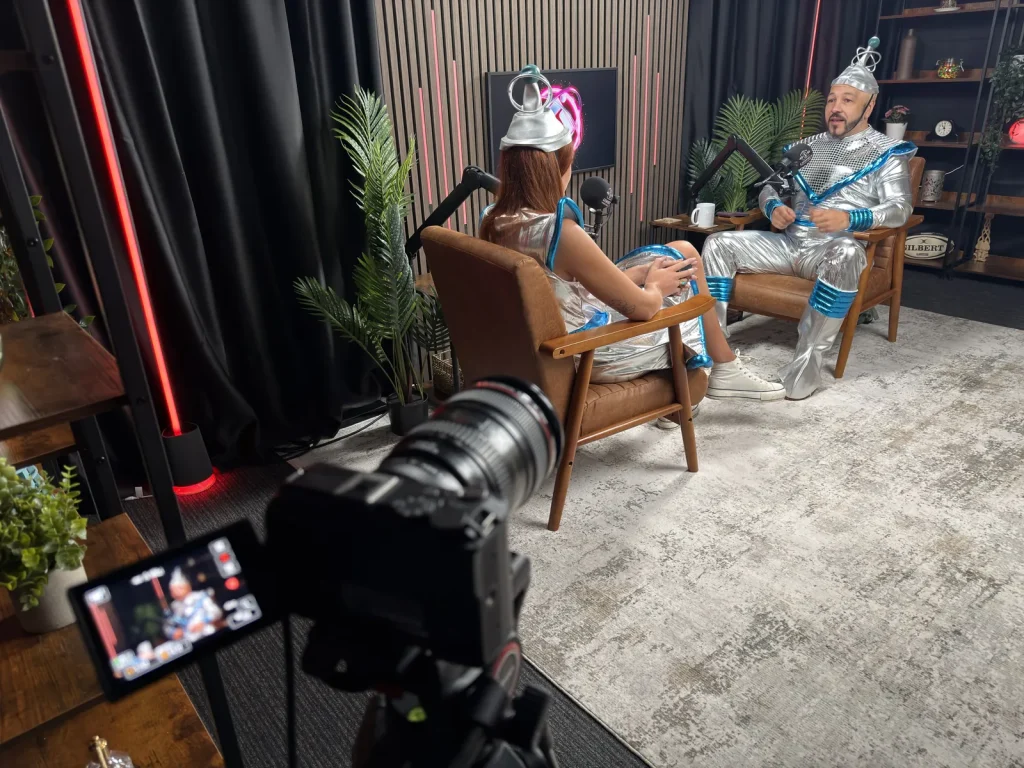
Eight tools. Twenty seconds to explain each one. Two people dressed like the future, if the future had been designed in 1985.
We gave David and Lottie a buzzer and asked them to explain what IRIS actually does for a busy business. There are a few questionable outfits, some very optimistic timekeeping and, underneath it all, a useful tour of the jobs IRIS can help you get through.
If you’ve seen our introduction to IRIS and wondered where you’d start, this is the five-minute version you can watch over a coffee. Silver trousers are optional.
Watch the IRIS quick-fire demo
1. Give IRIS the background first
Your website tells part of your story. Your team knows the rest. The Business Brain brings that information together, including details you add yourself and information from supported connected accounts.
A useful first job: add the questions you keep answering on the phone. Explain your services, how you work and anything customers commonly misunderstand. It gives the other tools something specific to work with.
2. Ask a question instead of opening another report
Lottie’s example is a good one: which social media post performed best this month? With the relevant accounts connected, you can ask IRIS for the answer instead of working through a spreadsheet to find it.
Start with a question you actually need answered. Then check the period and figures behind the answer before deciding what to do next.
3. Have the update come to you
Remembering to check your marketing is another job on an already full list. Scheduled alerts let you choose the information and when you want it.
David suggests a month-end update on website visitors and where they came from. Pick one useful update to begin with. You can always add more once you know what helps.
4. Get the blog moving again
The Content Studio researches relevant topics and helps turn them into articles for your website, with publishing and scheduling options. It’s for the business owner who has plenty to say but rarely gets a clear afternoon to write it.
Give it a clear subject and your own business knowledge. Review the result for accuracy and useful detail before choosing the publishing workflow that suits you.
5. Give that article a life on social media
Once you have an article, IRIS can turn it into posts for supported social channels and help schedule them. You can give it examples of how you normally write, so the wording reflects your business.
That means one useful topic can support both your website and your social activity. You’re not starting with a blank page every time.
6. Find something useful in competitor research
IRIS looks at relevant businesses and their public online presence to help identify things worth improving. The useful part is what you do with that information.
Choose one gap to tackle: a customer question your website doesn’t answer, for example, or a service that needs explaining more clearly. You’ll get more from a specific next step than another report left unread.
7. Make a QR code without making it a project
This one really doesn’t need twenty seconds. Give IRIS the website link and create a QR code for it. Useful for a flyer, a display or something you’re handing out at an event.
Always scan the finished code on your phone before sending anything to print, and make sure the destination page will stay available.
8. Keep up with the people leaving reviews
IRIS helps you keep track of incoming Google reviews and prepare relevant replies. You can choose an approval process that fits the way your business works.
Read the review, check the suggested response and make it personal where it needs to be. It’s a customer conversation, so it deserves more than the same copied reply every time.
Where would we start?
With the job you keep putting off.
If it’s writing, start with one useful article. If it’s reporting, set up one regular update. If you’re still giving every tool the same background information, spend a little time on your Business Brain first.
You don’t have to switch everything on at once. Available tools and connections depend on your package and setup; we’ll help you work out what makes sense for your business.
Explore IRIS and book a demo →
Built and supported by the inLIFE team in Burntwood, Staffordshire. Buzzer and questionable outfits not included.