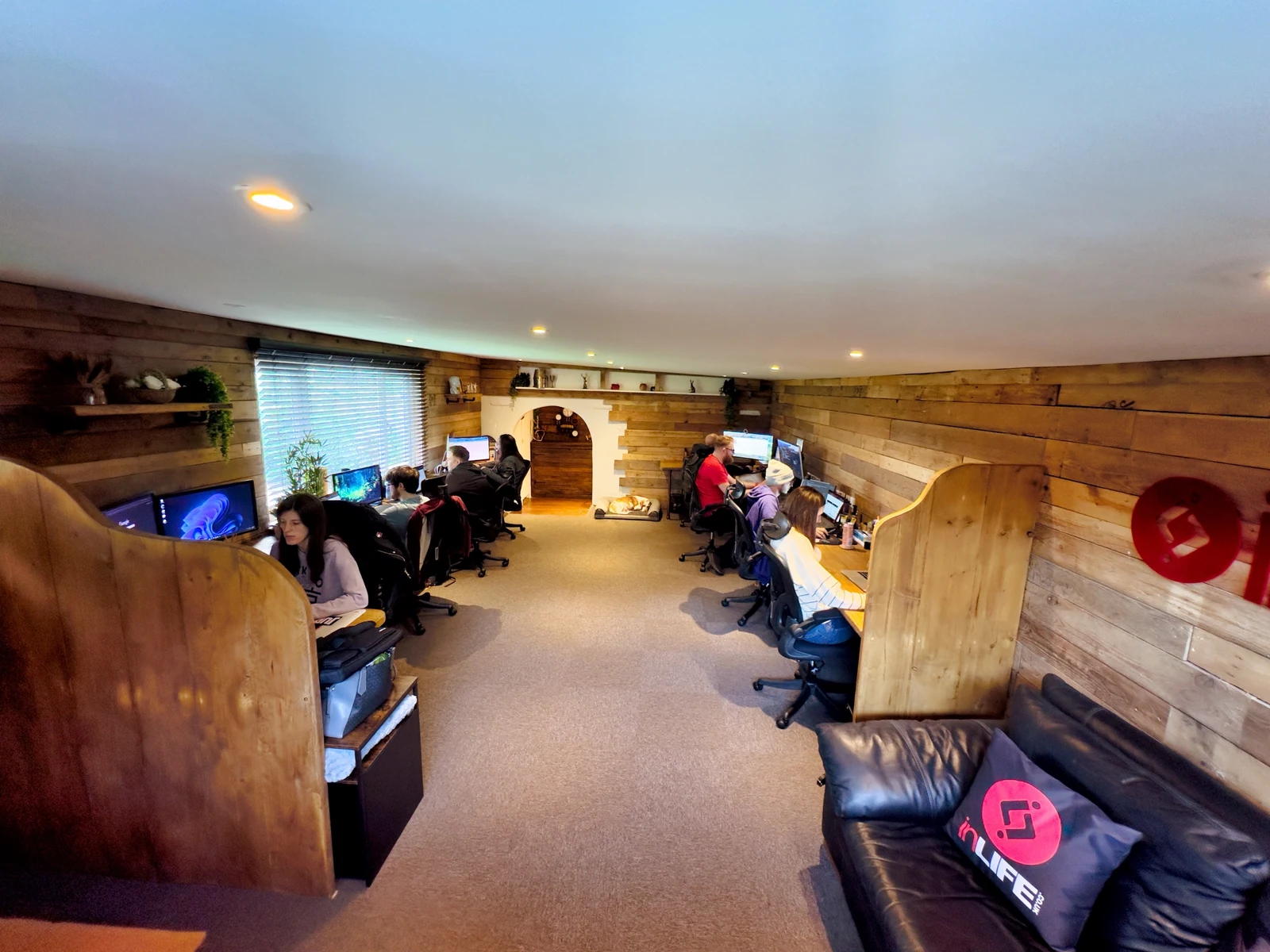
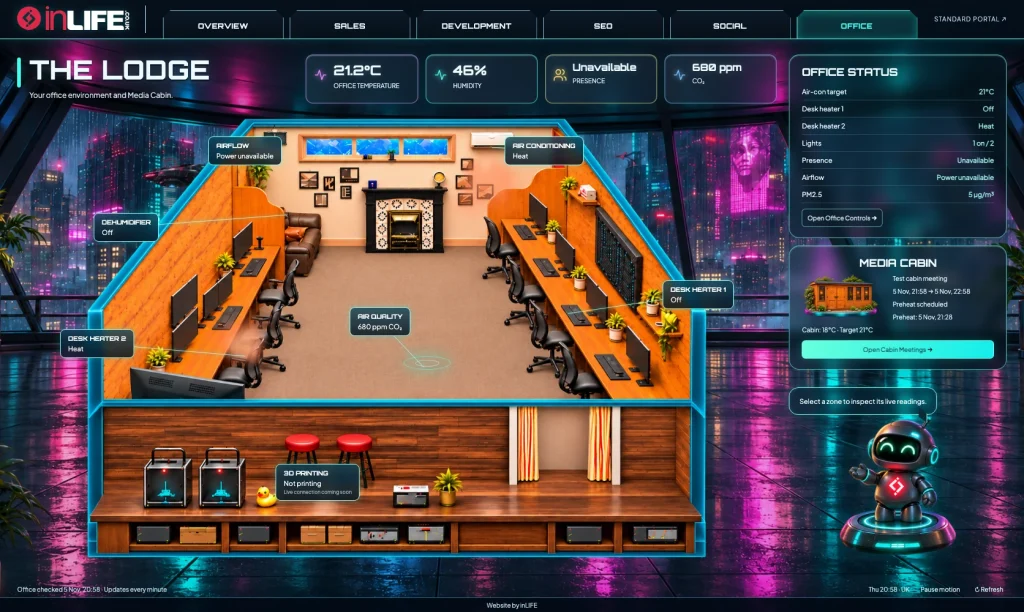
Ask Deckard for a tour of the inLIFE office and he will introduce the desks, bring up the lights as he goes and finish with the latest room readings. There will probably be a joke at David’s expense, too.
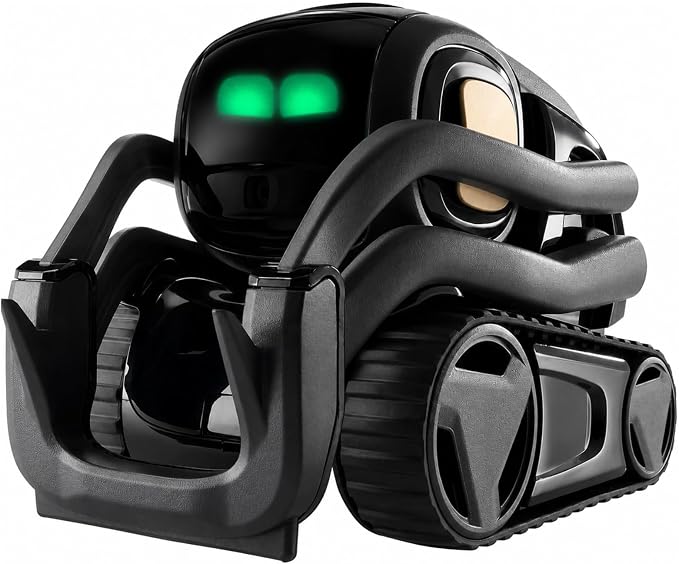
The robot is one of Deckard’s avatars, giving our AI assistant a physical presence in the office. We’re also planning to add a drone avatar soon.
That is the entertaining part of a much bigger setup. We have connected our AI assistant, Home Assistant and our own client portal to help manage the working environment and keep client work moving. Lighting, heating, meeting-room preparation and even lawn care sit alongside the systems we use to take a project from its first enquiry through to launch and ongoing support.
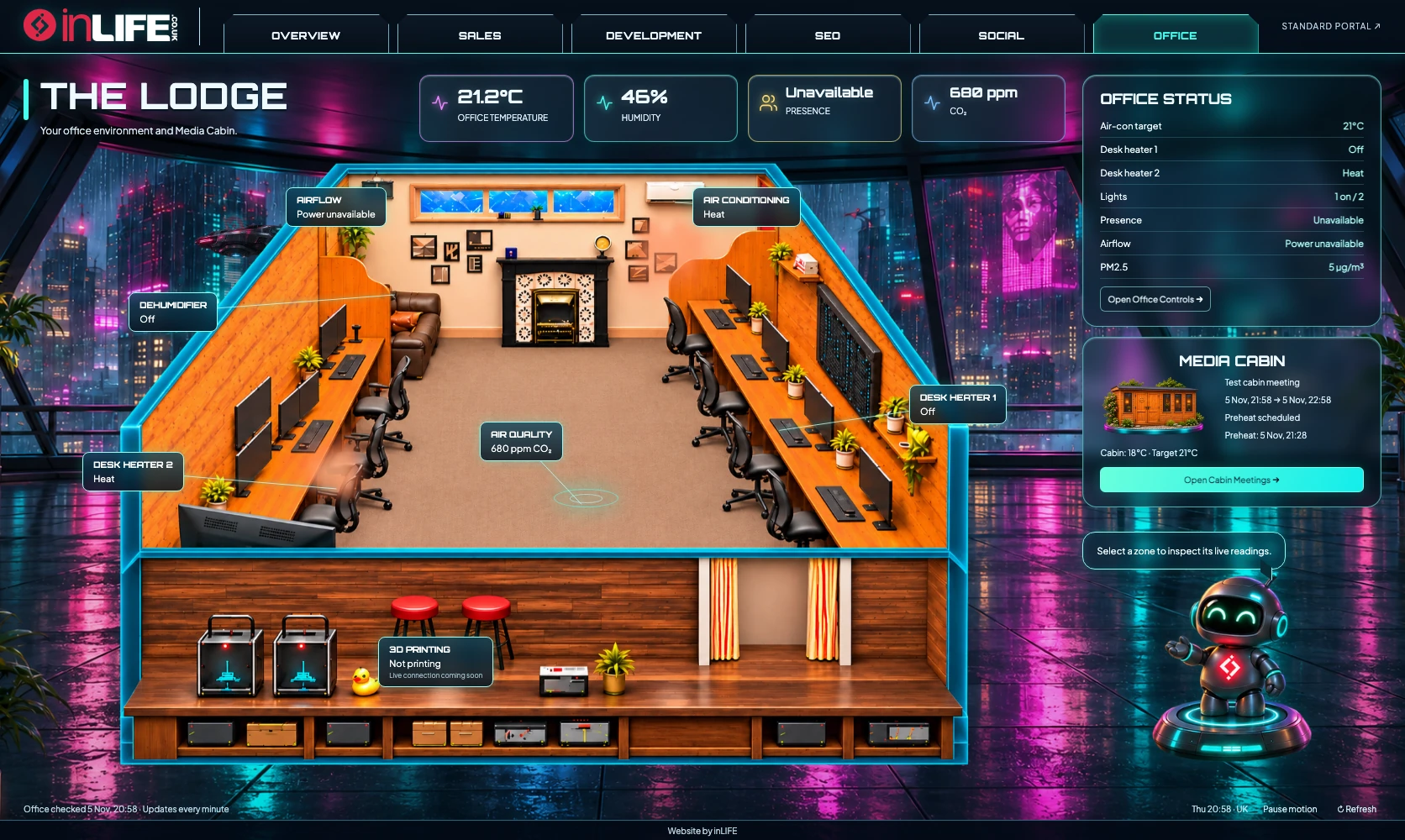
Command Deck gives us a live visual overview of the business inside our portal. It looks suitably futuristic, but the information comes from the projects, reports and office devices we actually use.
One Command Deck for the business
Command Deck brings Overview, Sales, Development, SEO, Social and Office into a shared interface. We can see where work is building up, which stages need attention and how the current month’s reporting is progressing. Selecting a stage opens the work inside it and links through to the relevant portal page.
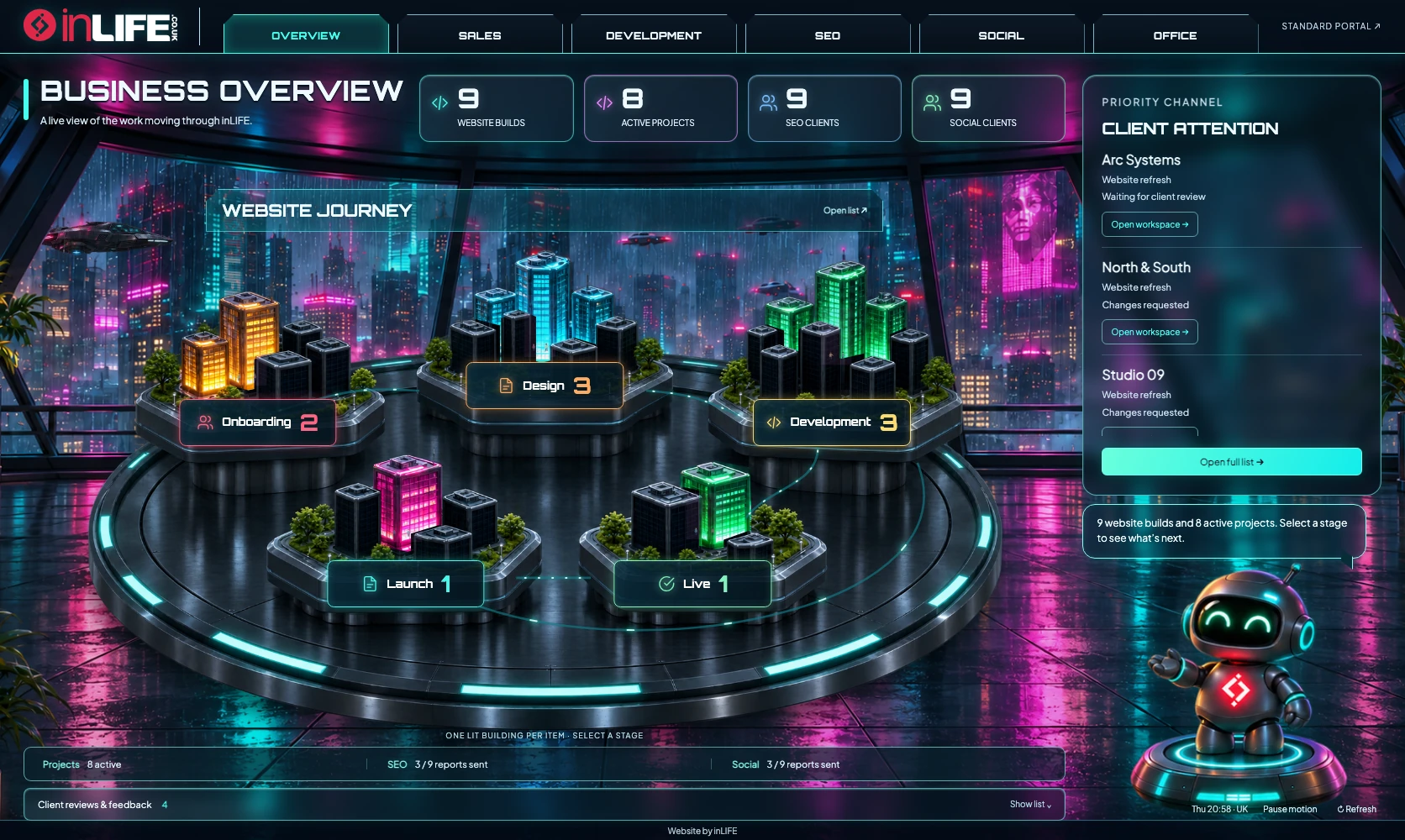
The buildings, glass rooms, moving light paths and little robots make the workload easier to explore. The figures are live: an empty stage stays empty, while the reporting views distinguish onboarding, reports still to send, reports sent and open client requests. There is even an occasional flying DeLorean outside the window, adding a little Back to the Future to the working day.
Following a project from first enquiry to launch
Our team uses the portal to manage leads, follow-ups and proposals, then carry the relationship into onboarding and delivery. For website builds, Command Deck shows Onboarding, Design, Development, Launch and Live. One-off projects have their own workflow, including work awaiting client feedback and completed jobs.
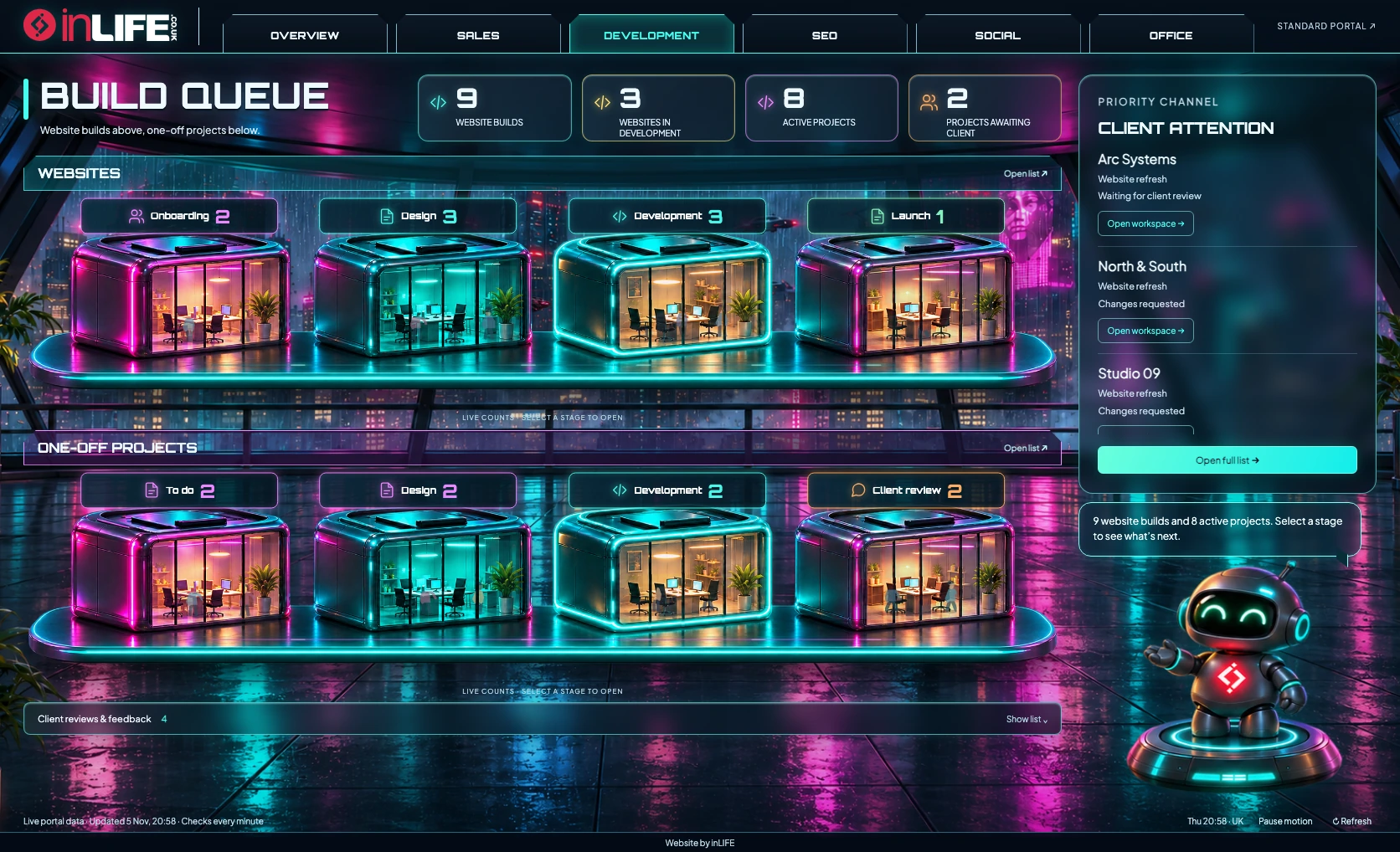
Clients can review design revisions, request changes and approve the version they are happy with. Development reviews follow a similar process, so the team can see what is waiting, what needs changing and what is ready for the next step. The people making the decisions remain visible throughout: our team manages delivery and clients give their approvals.
The relationship continues after launch. The portal records the live date, shows the website’s progress through its ongoing service journey and tracks scheduled check-ins. SEO and Social have their own onboarding, reporting and request queues. The one-month website email can include first-month analytics highlights; if reporting is not ready, it is held and the team is told what needs setting up.
Lighting the team can control
The office controls are available to authorised staff through the portal. Someone who wants a different light level can adjust an individual desk or change the whole office, rather than hunting for a particular switch or asking David to do it.
Presence, motion and door activity also feed the lighting routines. Vacancy rules help deal with lights left on, while manual controls and timed overrides let the team take charge. Staff can adjust the office air-con through the same area, check the gate’s live camera view and send a spoken announcement through Deckard.
Balancing temperature and keeping an eye on the air
Comfort depends on more than the temperature beside a thermostat. Sensors at the entrance and far end help the system judge conditions across the office. The main air-con works with desk heaters and rear support heating under the configured rules, helping colder areas rather than relying on one warm wall sensor.
A local learning routine observes settled heating periods and makes small, bounded adjustments to the holding setting. It also accounts for different outdoor conditions. Our usual Thursday absence has its own lower temperature target, followed by a warm-up period before the team is expected back.
The air-quality monitor tracks CO₂, humidity, temperature and fine particles. Sustained CO₂ rises trigger stronger ventilation, with an extra maximum-speed response when needed. Heat-recovery ventilation helps exchange air while retaining warmth, and humidity is managed through ventilation rules and dehumidification. Command Deck shows those readings alongside the equipment state, with warm, cool and ventilation effects reflecting the connected devices.
A media cabin that prepares for meetings
Our media cabin is used for meetings and filming podcasts. When a cabin booking is confirmed, the system schedules a warm-up towards 21°C from 45 minutes before the meeting, with a planned switch-off afterwards. Staff can arrange meetings through the portal, while the Google Calendar connection keeps accepted room bookings and their heating schedules linked.
Moving or cancelling a booking updates its associated preheat. Staff can also choose an online Google Meet or a hybrid meeting; an online-only call does not warm an empty cabin. It is a useful connection between the diary and the building: booking the room also prepares it for use.
Even the grass gets an AI check
Outside, Deckard can compare a fresh camera image of the lawn with a reference taken when it was freshly cut. That gives a visual assessment of grass growth and whether another cut looks due.
The decision also considers daylight, weather, drying time, mower readiness and battery level. When a cut is due and the checks pass, it requests fresh human clearance before the robot mower starts. The camera comparison assesses growth visually rather than measuring an exact grass height, and uncertain images or unsuitable conditions hold the start.
The useful jobs happening in the background
There is plenty of smaller housekeeping too: timed office and lab diffuser runs, rain-triggered water-pump cycles, device-health monitoring and alerts when something repeatedly fails to respond. These routines have their own schedules and limits, and the team can see when equipment needs attention.
Deckard adds the personality. He can welcome the team, deliver announcements and perform the office tour, lighting the relevant areas and introducing the cabin before rounding off with current environmental readings. The physical robot gives the system a familiar presence around the office.
Connecting office automation and client work
Command Deck gives our team a shared view of the work and the workspace. We set the priorities, review the work and keep control, with AI and automation handling monitoring and routine actions around us.
If you would like to explore practical AI and connected automation for your business, talk to the inLIFE team. We would be happy to show you around. Deckard may insist on doing the tour.